Can I automatically send an offer when someone favourites an item?
VintHelper includes that workflow in Auto Mode, using the actions and discounts you configure.
Vinted automatic offers let you respond to new favourites with the price or message you prepared, rather than opening each notification by hand. In VintHelper, Auto Mode handles this workflow while Notifs+ covers selected manual batches. Decide the discount once, keep item exceptions and let the routine handle the repeated work.
A €20 item with a 10% discount produces a €18 offer. Check your purchase, packing and other costs before choosing that discount. An offer gives an interested buyer a concrete price; a useful message can answer a question about the same item.
You can send only an offer, only a message or both. This workflow responds to favourites; accepting a price proposed by a buyer is the separate negotiation workflow.
Set your discount once, keep item-specific exceptions and let Auto Mode send your favourite offers while VintHelper is open.
Open Auto Mode and its favourite messages/offers tool. Enable the actions you want, prepare the message and discount, and review pauses, recipients and recent-conversation filters before starting.
Check whether to include pending notifications or focus on new activity. Keep Vinted and VintHelper open on an active, unlocked device. This is browser automation, not a cloud service that keeps working after you close it.
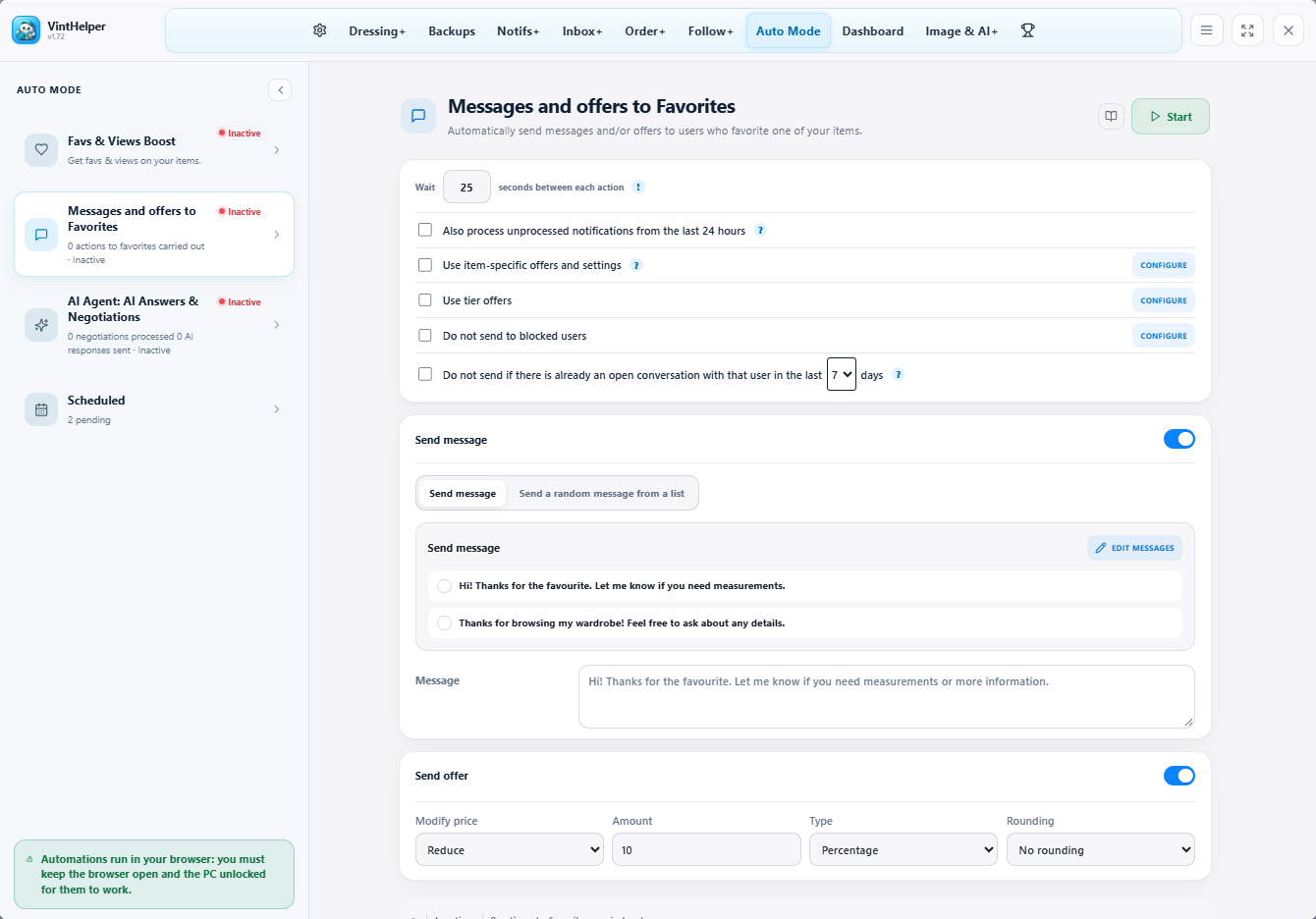
When enabled, saved article-specific offers take priority. Professional price tiers apply different discounts to different price bands, with the general setting as the fallback for items outside those bands.
For example, a lower-priced item may need a smaller discount than a higher-priced coat. Review specific prices after changing your strategy. Tiered buyer offers are not the same settings as changing public prices during a relist.
For a selected group of notifications, open Notifs+ and prepare a manual batch. For an ongoing response to new favourites, start the automatic tool. A recent-conversation filter helps avoid contacting the same person repeatedly.
Read the history to distinguish sent actions from skipped or failed ones. Install VintHelper to connect these offers with your listings and orders, and use the illustrated guide for each setting.
VintHelper includes that workflow in Auto Mode, using the actions and discounts you configure.
Yes. Enabled article-specific settings take priority; Professional price tiers add different discounts by price range.
That is a separate negotiation feature with acceptance and counteroffer settings.
Yes. Keep Vinted and VintHelper open with the device on and unlocked while the automation works.