Does a favourite mean the buyer will purchase?
No. It saves the listing; the buyer may still be comparing, deciding or waiting.
A Vinted favourite saves an item for later; it is not a promise to buy. For a seller, the useful next step is to check the listing and give an interested buyer a reason to decide: a relevant offer, clear measurements or an answer. VintHelper's Notifs+ turns those notifications into a working list instead of another round of repetitive clicks.
A buyer may be comparing similar items, checking their budget or saving a possible purchase. You cannot tell which just from the heart. Separate genuine buyer activity from an exchange: Favourite Boost participants are not necessarily shopping for that garment.
Treat saved items as an opportunity to make the decision easier. Check the first photo, size, condition, measurements and total value before deciding what to send.
Turn saved listings into a useful follow-up: select notifications in Notifs+ and send your message, offer or both together.
For an item listed at €20, a €18 offer is a 10% discount. Work out whether that price covers your purchase cost, packaging and the margin you want. If it does not, answer the buyer's question or improve the listing instead of discounting automatically.
An offer changes the price proposed to that buyer. A message supplies information. You can use either or both; you do not need to send the same thank-you text to every person who saves a listing.
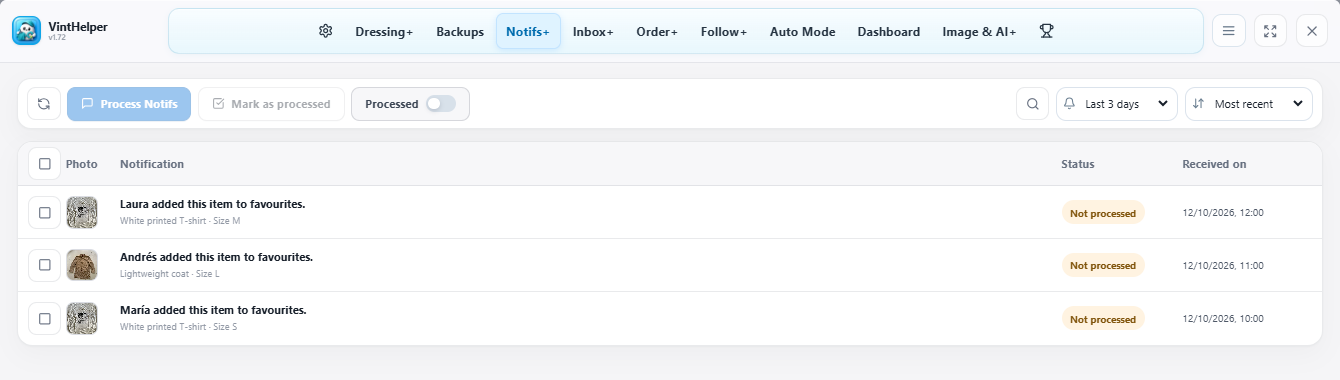
Open Notifs+, choose the period and use search and processed/pending filters to find the notifications you want. Select recipients, then prepare a message, an offer or both. Review the proposed prices before processing the batch.
Set a percentage or amount for the batch, edit an individual price when needed and use saved article offers for exceptions you want to reuse. Professional price tiers let different item prices receive different discounts. Individual edits take priority over the batch calculation.
For selected notifications, use the manual Notifs+ batch. For new activity, Auto Mode has separate automatic favourite-message and offer settings, including recent-conversation filters. Keep Vinted and VintHelper open while they work.
Look at replies, offers and sales rather than the favourite count alone. Start with a relevant offer on listings that are ready, then use VintHelper to keep the follow-up organised.
No. It saves the listing; the buyer may still be comparing, deciding or waiting.
Use an offer when a lower price fits your margin; use a message to answer a real question or provide useful information. Notifs+ supports either or both.
Notifs+ lets you select favourite notifications and prepare a batch, with individual prices available for review.
No. An exchange generates activity from participating sellers, not evidence that each participant wants to buy the item.